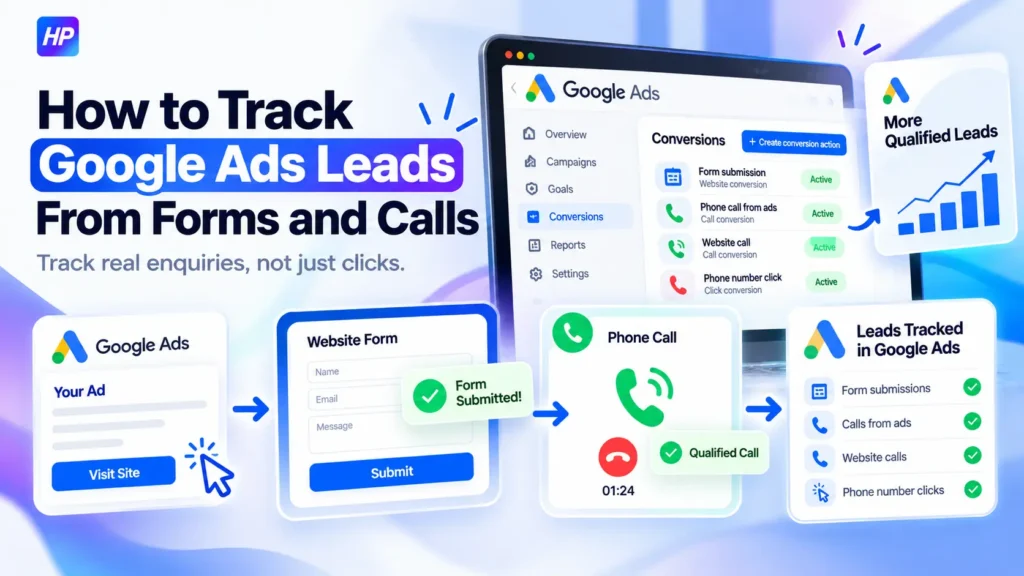
If you run paid search campaigns, knowing that someone clicked an ad is not enough. You need to track Google Ads leads through the actions that actually matter, such as a successful contact-form submission or a qualified phone call.
The important part is not simply installing another tag. Your tracking should connect each real lead path to the correct Google Ads conversion action, make sure campaigns optimize toward the right signals, and confirm that failed forms, duplicate events, or simple phone-number clicks are not being mistaken for genuine leads.
Before you start, make sure you have access to the Google Ads account and the website or its existing tag setup. If you plan to use a GA4 event as a Google Ads conversion, the correct Analytics property must be linked, the event must be eligible as a key event, and you need the required Google Ads and Analytics permissions. Google explains the current website-conversion setup in its Google Ads web conversion documentation.
Before You Track Google Ads Leads, Map What Counts as a Lead
Start by identifying the actions that genuinely represent an enquiry.
For most lead-generation businesses, these may include:
- a successfully submitted contact or quote form
- a call made directly from an ad
- a call made after someone visits the website from an ad
- a click on a phone number or call button
These actions are not automatically equal.
A successful form submission can be a strong lead signal. A tracked phone call that lasts long enough to represent a real conversation may also be valuable. A phone-number click, however, only confirms that someone clicked the number. It does not prove the call actually happened.
Google treats calls from ads, calls from a website, and phone-number clicks as different conversion sources, which is why they should not automatically be grouped as the same lead signal. You can review these distinctions in Google’s phone call conversion tracking documentation.
Before creating conversions, make a simple lead map:
| Lead path | What should prove success? |
| Website form | Confirmed successful submission |
| Call from an ad | Qualifying phone call |
| Call after website visit | Measured website call |
| Phone-number click | Click only, not a confirmed call |
This prevents Google Ads from optimizing toward actions that look useful in reports but do not necessarily represent real enquiries.
How to Track Google Ads Leads From Form Submissions
A form conversion should fire only after the form has successfully completed.
In Google Ads, go to Goals → Conversions → Summary, choose + Create conversion action, and select the website conversion option. Google can then inspect the website and its existing measurement setup. The current setup process is documented in Set up your web conversions.
The correct form-tracking method depends on how your website confirms a submission.
If every successful form sends the user to a unique thank-you or confirmation page, that URL can often be used as the conversion condition.
If the form submits without loading a new page, such as an AJAX form, you normally need an event-based method through the Google tag, Google Tag Manager, or another verified event implementation.
If you already have a reliable GA4 event for the completed lead, you can also use it to create a Google Ads conversion. For this route, verify that the correct GA4 property is linked to Google Ads, the event is available as a key event, and the required account permissions are in place. Google provides the current process in its guide to creating Google Ads conversions from Google Analytics events.
The important rule is simple: track successful completion, not the attempt to submit the form.
A Submit button click can happen even when required fields are missing, validation fails, or the form never reaches the business.
If your website uses more complex forms, see my guide on tracking form submissions in GA4 with Google Tag Manager rather than creating another unverified trigger.
Track Phone Leads According to How the Call Starts
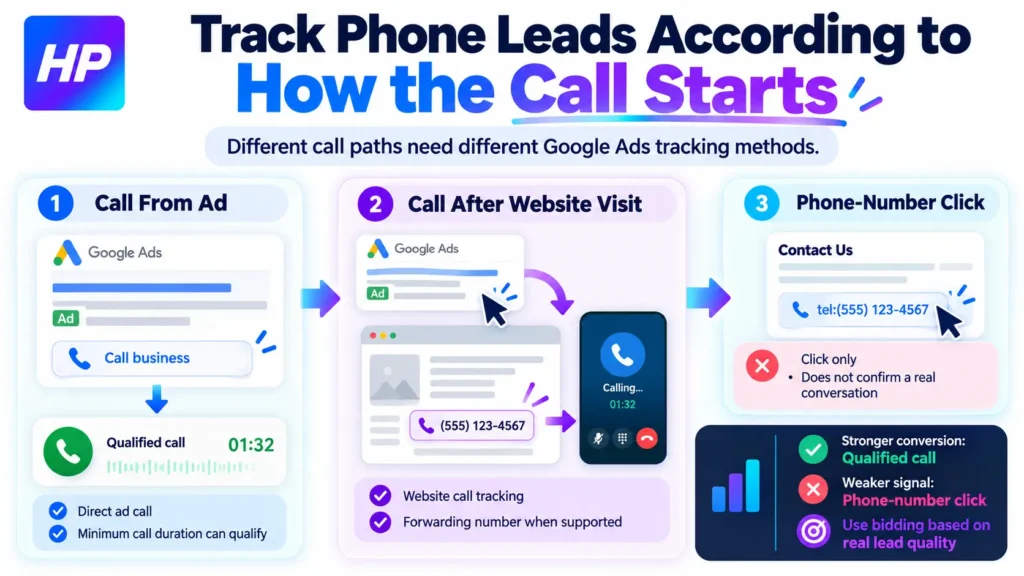
Google Ads supports different call-measurement methods, so first identify where the call begins.
Calls made directly from an ad can be measured when the relevant call or location assets and call reporting are configured. You can also define a minimum call duration so that very short calls do not automatically count as valuable conversions. Google’s phone call conversion tracking guide explains the available call conversion types.
Calls made after someone clicks an ad and visits your website require a different setup. In supported countries, Google can use a forwarding number to replace the business number shown to qualifying visitors. That allows Google Ads to connect the resulting call with the ad interaction.
This website-call method requires the appropriate Google tag and phone-number implementation, and Google forwarding numbers are not available in every country. Google’s instructions for tracking calls to a phone number on a website explain the setup and requirements.
Phone-number clicks are another separate signal. If a visitor taps a tel: link or call button, Google Ads can measure the click, but that does not confirm that a completed phone conversation occurred. Google specifically distinguishes phone-number click measurement from actual completed-call tracking in its phone-number click tracking documentation.
That distinction matters when deciding which conversions should influence bidding.
For example, you may choose to treat a confirmed qualifying call as a stronger conversion than a simple phone-number click.
Configure Which Lead Conversions Google Ads Should Use
Creating a conversion action does not automatically mean every campaign should optimize toward it.
Review each lead conversion under Goals → Conversions and decide whether it should be treated as Primary or Secondary.
Primary conversions are normally used in the main Conversions column and can influence bidding when the campaign uses the corresponding conversion goal.
Secondary conversions are generally better suited to actions you want to observe without making them a main optimization target. Google explains this distinction in its documentation on primary and secondary conversion actions.
This is useful when you track both strong and weak signals. For example:
- successful enquiry form: Primary
- qualifying phone call: Primary
- phone-number click: potentially Secondary
The exact choice should match the business, not a universal template.
Also review the Count setting.
For many lead-generation actions, One is a sensible starting point because several submissions after a single ad interaction may not represent several unique prospects. Every is more appropriate when each conversion genuinely creates additional value. Google’s conversion counting options explain the difference.
Finally, check the campaign’s conversion goals. A conversion action can be marked Primary but still not influence a particular campaign if that campaign is not using the goal that contains it. Google’s conversion goals documentation explains how goals and conversion actions work together.
Test Whether Google Ads Is Recording Leads Correctly
Publishing the tag is not the end of the setup. You need to prove that the right actions create conversions and the wrong actions do not.
Use a two-pass test.
First, run a positive test:
- Open your debugging or Tag Assistant setup where applicable.
- Complete one valid form submission.
- Confirm that the intended conversion or event fires once.
- Test the relevant phone-call path.
- Check that Google Ads begins receiving the expected conversion activity.
Then run a negative test:
- Try submitting the form with required information missing.
- Confirm that the successful-lead conversion does not fire.
- Check whether refreshing or revisiting a thank-you page creates an unwanted duplicate.
- Make sure a phone-number click is not being interpreted as a completed call unless that is intentionally how the conversion is defined.
Your target result should be:
One genuine intended lead = one intended conversion.
A failed, duplicate, or weaker action should not create the same lead conversion.
Google Ads may show conversion statuses such as Unverified, Tag inactive, Needs attention, No recent conversions, or Recording. If a conversion remains unresolved, use the troubleshooting option in the conversion action and open Tag Assistant to inspect the implementation. Google provides the current diagnostic process in its Tag Assistant conversion troubleshooting guide.
Troubleshoot Missing or Duplicate Google Ads Leads in the Right Order
When conversion tracking fails, avoid changing several tags at once. Work through the measurement chain in order:
Did the real lead happen? → Did the correct success signal occur? → Did the tag or event fire? → Did Google Ads receive it? → Is the conversion configured correctly? → Does the campaign use the correct goal? → Is reporting counting it correctly?
If nothing fires, inspect the trigger, tag, form-success condition, or website implementation.
If the tag fires but Google Ads does not record the conversion, check the conversion ID or label, data source, tracking status, and whether the correct Google Ads account is being used.
If you see too many leads, look for:
- duplicate tags
- multiple equivalent conversions
- page-load triggers firing repeatedly
- incorrect form triggers
- an unsuitable One/Every setting
If a conversion appears only in All conversions, review whether it is configured as Secondary and whether the campaign is using the intended conversion goal.
For missing phone conversions, check forwarding-number eligibility, call reporting, minimum call duration, phone-number replacement, and whether you are measuring an actual call or only a phone-link click.
If your forms, calls, GA4 events, GTM tags, and Google Ads conversions still do not line up, I can review the complete tracking chain and help identify where the measurement is breaking before you use that data to optimize your campaigns.
Frequently Asked Questions
Do I need a thank-you page to track a form lead in Google Ads?
No. A unique confirmation URL is one option, but forms that complete without loading a separate page can be measured with an appropriate event-based implementation.
What access do I need to use a GA4 event as a Google Ads conversion?
The correct GA4 property must be linked to Google Ads, the event should be available as an eligible key event, and the required Google Ads and Analytics permissions must be in place. See Google’s Analytics conversion setup documentation.
Can both form submissions and phone calls be Primary conversions?
Yes, if both represent genuine lead outcomes that the campaign should optimize toward. The important check is that you are not counting the same enquiry twice through overlapping conversion actions.
How do I troubleshoot an Unverified or inactive Google Ads conversion?
Open the conversion action’s troubleshooting workflow and use Tag Assistant to confirm whether the required tag or event fires during the intended user action. Google’s Tag Assistant troubleshooting guide covers the current process.
Sources
- Google Ads Help: Set up your web conversions
- Google Ads Help: Create conversions from Google Analytics events in Google Ads
- Google Ads Help: About phone call conversion tracking
- Google Ads Help: Track calls to a phone number on a website
- Google Ads Help: Measure clicks on a phone number
- Google Ads Help: Primary and secondary conversion actions
- Google Ads Help: About conversion goals
- Google Ads Help: Conversion counting options
- Google Ads Help: Troubleshoot conversion tracking with Tag Assistant